
Vehicle management system
Vehicle management for the people who actually move the cars.
Keyline tracks a press and prep fleet end to end — what you have, where it is, who has it, what was done to it and what it costs. Built in a working shop, not a boardroom.
What it does
One system covering the whole life of a vehicle, from the day it arrives to the day it leaves the fleet. No spreadsheet kept in parallel, no second place the truth might be.
Inventory
Every vehicle with its VIN, trim, colour, mileage and photographs. Filter and search the whole fleet instantly — it is held in memory, not fetched a page at a time.
Lifecycle
Incoming, outgoing, on location, in repair and disposed. A vehicle only appears where it can actually be acted on, so the list is a work queue rather than a report.
QC worksheets
A 34-point inspection on release and return, signed on screen, rendered to a PDF and kept against the VIN forever. The signature is what makes it evidence.
Scheduling
Jobs on a month calendar or a Gantt timeline, coloured by OEM, exportable to PDF for the people who still want it on paper.
Billing
A rate card you control, with charges attributed to a job, a vehicle and a tech — so one set of lines answers what a job cost, what a VIN cost and what a tech billed.
Live
A release recorded on a tablet in the shop moves the numbers on every open screen. No refreshing, no wondering whether you are looking at stale data.
Brand portals
Each OEM gets its own address and its own front door, showing only their vehicles. One system, separate doors.
Audit trail
Every action recorded with who did it and when, append-only. When someone asks who changed a price or released a car, there is an answer.

Built where the work happens
Keyline came out of a prep shop running vehicles for three manufacturers at once — every screen in it exists because somebody needed it on a Tuesday morning.
How a vehicle moves through it
The system follows the car, not the paperwork. Every step below is a screen someone in the shop actually uses during their day.
It arrives
The vehicle is received against its VIN, photographed and given a status. If it came back from a loan it is checked in rather than created again.
It gets worked on
Prep, paint, wrap, repair — attached to a job so the labour and parts land on the right invoice rather than being reconstructed at month end.
It gets inspected
A 34-point QC worksheet before it leaves and again when it returns, signed on screen. A failed item needs a written explanation before the form will submit.
It goes out
Releasing a vehicle records who released it and when. The database will not let the same car be released twice without being received back first.
It gets billed
Charges attributed to the job, the vehicle and the tech. Prices are captured at the moment of billing, so correcting a rate later never rewrites an invoice already sent.
It leaves the fleet
Disposal is recorded with where it went and when — and the vehicle stops appearing in every queue that assumes it is still yours.
Whose data is whose
Several operators run on Keyline at once, and none of them can see each other. That is enforced by the database, not by the screens.
Separate by construction
Each operator's vehicles, jobs, worksheets and invoices live in their own database schema — separate tables, not a shared one filtered by a column. A query from one operator cannot name another's data, so a mistake returns nothing rather than somebody else's fleet.
Access follows the account
What you can see is decided by who you are signed in as, never by the address you typed. Landing on the wrong subdomain shows you nothing and says so, rather than quietly showing you the wrong thing.
Brand portals see one brand
An OEM signing in to their own portal sees their own vehicles and nothing else — not the other manufacturers sharing the same shop, and not the shop's rates for anyone else.
Everything is recorded
Who released which car, who changed which price, who signed which worksheet. The trail is append-only: it can be read and added to, never quietly edited.

One fleet, many owners
Press cars, evaluation vehicles, loaners and the competitor cars held for benchmarking — all tracked in one place, each visible only to the people entitled to see them.
What it replaces
Most shops are already running a version of this. It is just spread across a workbook, a shared drive, a group chat and somebody's memory.
The master spreadsheet
The one file everybody opens and nobody trusts, where the totals at the top were typed by hand three weeks ago and are quietly wrong. Counts in Keyline are calculated, so they cannot drift from the rows underneath them.
The paper inspection form
Clipboard, carbon copy, a photograph of it in somebody's phone. The worksheet is filled in on a tablet, signed on the glass and filed against the VIN automatically — findable in seconds a year later when a manufacturer asks.
The end-of-month reconstruction
Working backwards through job sheets to reconstruct what to invoice. Charges are captured as the work happens, attributed to the job, the vehicle and the tech.
"Where is that car?"
The question that costs an afternoon. Every release and return is recorded against a person and a time, and the system refuses to release a vehicle that is already out.
Emailing a status update
Manufacturers asking for a list, and someone assembling it by hand. Each brand has its own door and sees its own vehicles, current at the moment they look.
Hoping nobody asks
Who changed that price, who released that car, who signed that sheet. Every action is recorded with a name and a timestamp, and the trail cannot be quietly edited.
Pricing
$99/ user / month
Billed yearly, prepaid.
- Every module included
- Unlimited vehicles and jobs
- Brand portals for your OEMs
- Onboarding and data import
- Support during business hours
$200/ user / month
Billed monthly, cancel any time.
- Every module included
- Unlimited vehicles and jobs
- Brand portals for your OEMs
- Onboarding and data import
- Support during business hours
Priced per user, not per vehicle — a fleet that grows does not cost more to track. Techs who only need to be named on a worksheet do not need a seat. Annual works out at roughly half the monthly rate.
Who it's for
Anyone responsible for vehicles that are not theirs — and who has to answer for where each one is and what condition it came back in.

Prep shops
Running vehicles for several manufacturers at once, where knowing whose car is on which lift is the whole job.
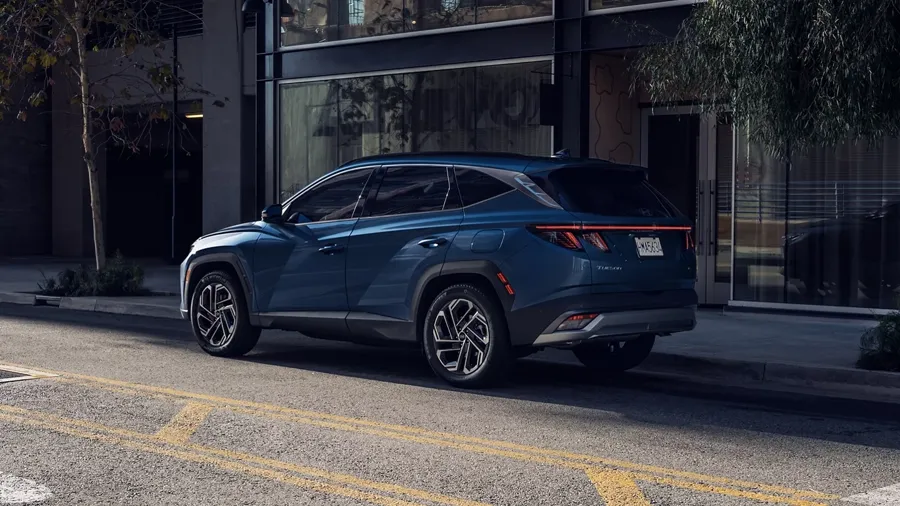
OEM press fleets
Internal teams managing loaners, evaluations and press cars, including the competitor vehicles held for benchmarking.

Agencies
Booking vehicles for shoots and events, who need to see what is available without seeing anybody else's fleet.
Questions
Is it priced per vehicle?
No — per user. A fleet that doubles does not cost more to track. Only people who sign in need a seat; techs who are named on a worksheet but never log in do not.
Can we bring our existing spreadsheet?
Yes, and it is usually where we start. Both fleets currently on Keyline were imported from the workbooks the shops were already keeping, VINs, colour codes and all.
Does it work on a tablet in the shop?
Yes. The QC worksheet is designed to be filled in on a tablet, and the signature is captured with a finger or a stylus. What is recorded there appears on every other open screen straight away.
Can each manufacturer have their own login?
Yes. Each OEM gets its own address, its own backdrop and mark, and sees only their own vehicles. They never see the other manufacturers in the same shop.
Who owns the data?
You do. It is your fleet, your jobs and your invoices, and you can have an export of it at any time.
What happens to the price if we add users mid-term?
Extra seats are charged at the same per-user rate for the remainder of the term. Annual plans are prepaid, so a mid-term addition is invoiced pro rata.
Is there a contract?
The monthly plan can be cancelled at any time. The annual plan is prepaid for the year, which is why it is roughly half the price.
Get in touch
Tell us about your fleet and we will show you the system.
A short walkthrough with your own vehicles in it, rather than a canned demo.